Modules · For the quality manager
Infrastructure and work environment
Product Records Infrastructure and Management Review: infrastructure and work environment. This is part of chapter 32 of the NormaQMS User Guide.
Infrastructure and Work Environment
Open: Operations > Infrastructure & Work Environment. Typical leads: Quality Manager and Department Manager.
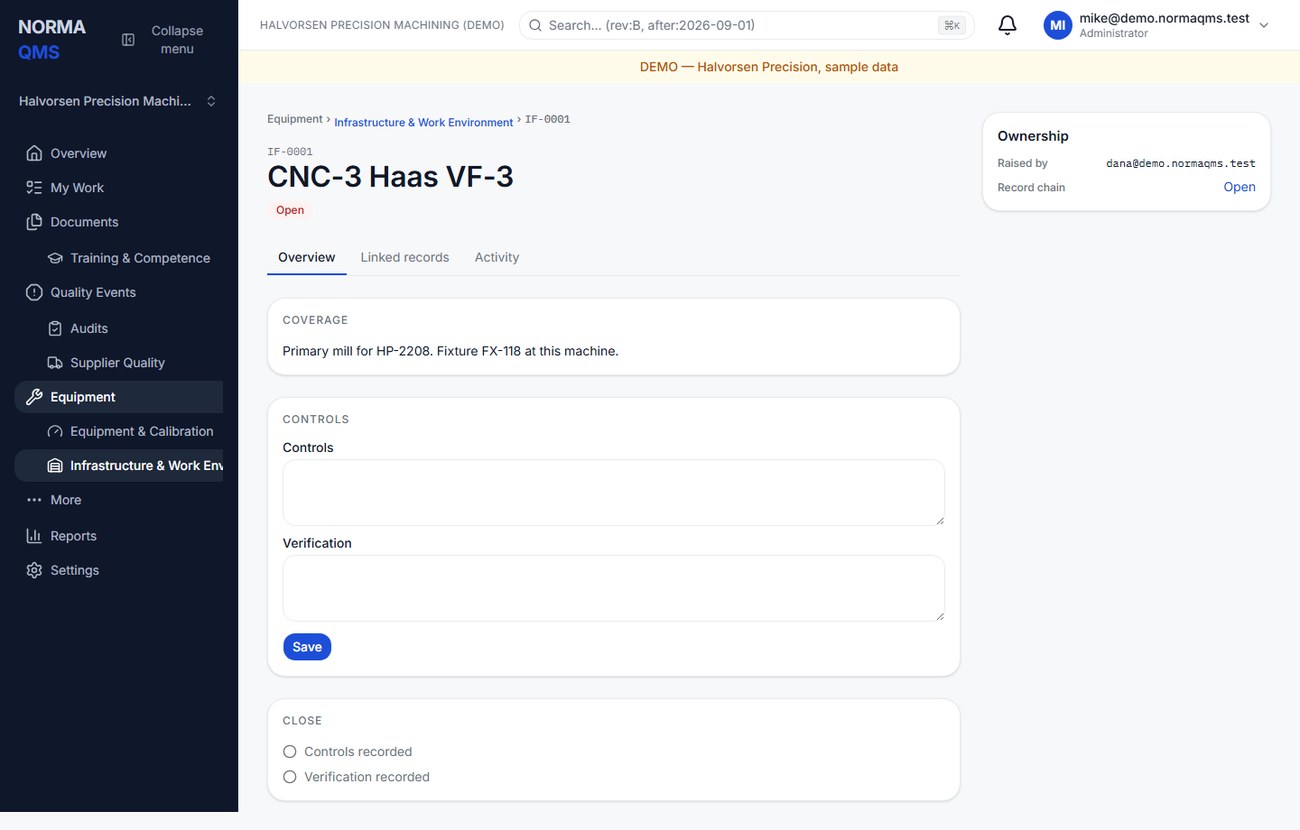
Choose Log record and enter title, kind, and what it covers. Kinds are Infrastructure, Work environment, and Contamination. Complete Coverage and Controls — the controls and their verification — save, then choose Close record when both required areas are complete.
A useful control describes the actual preventive or corrective measure. Verification identifies evidence such as temperature logs, preventive-maintenance records, cleaning checks, or environmental results. A specific FOD occurrence belongs in Product Integrity; an instrument calibration belongs in Equipment & Calibration. Use references to connect them when one exposes an infrastructure issue.
Maintenance plans
Planned maintenance lives in Maintenance plans on the Infrastructure page. To add one, fill in the Title, What the maintenance covers, the Interval in months (1 to 120) and, if it services a piece of equipment, choose it under Equipment (optional). Select Create plan. Plans are numbered MP-0001, MP-0002 and so on.
Each plan shows a state:
- Never done — due now until the first time it's recorded as done. It shows no next due date yet.
- On schedule while the next due date is more than 14 days away.
- Due within 14 days of the next due date, and on the day.
- Overdue from the day after.
Due and overdue plans also appear in My Work for the people who see open infrastructure work. A department manager sees their own department's plans and the organization-wide ones.
When the work is done, open Record maintenance done on the plan. Enter the Date done (it can't be later than today in your organization's time zone), the Controls applied and How it was verified, and select Record maintenance done. Norma creates a closed maintenance record for it and counts the next due date from the date done. An earlier date is still recorded but doesn't move the schedule back. Each completion also appears on the plan's own record history.
If the plan names equipment, you can tick This maintenance could have affected the equipment's accuracy. That flags the equipment for recalibration.
To change a plan's title or interval, use Edit plan. To stop a plan, tick Stop scheduling this plan and select Deactivate plan. An inactive plan reads Not scheduled, and it can't be edited or recorded against. Create a new plan if the work starts again.
In the user guide
This article is part of chapter 32, "Product Records Infrastructure and Management Review", of the NormaQMS User Guide (NORMA-UG-001), which is under Help > User guide. Chapter numbers in the text refer to that guide. The same chapter also covers: Device and Product Records; Management Review.