Modules · For the owner
Planning & Objectives
How the work moves
Quality planning- 1Set objective or risk
- 2Assign action
- 3Measure progress
- 4Review and adjust
Open: More > Planning & Objectives. Typical leads: Quality Manager and Executive; authorized department managers can record measurements. Three tabs cover objectives, risks and opportunities, and planned changes.
Create and monitor an objective
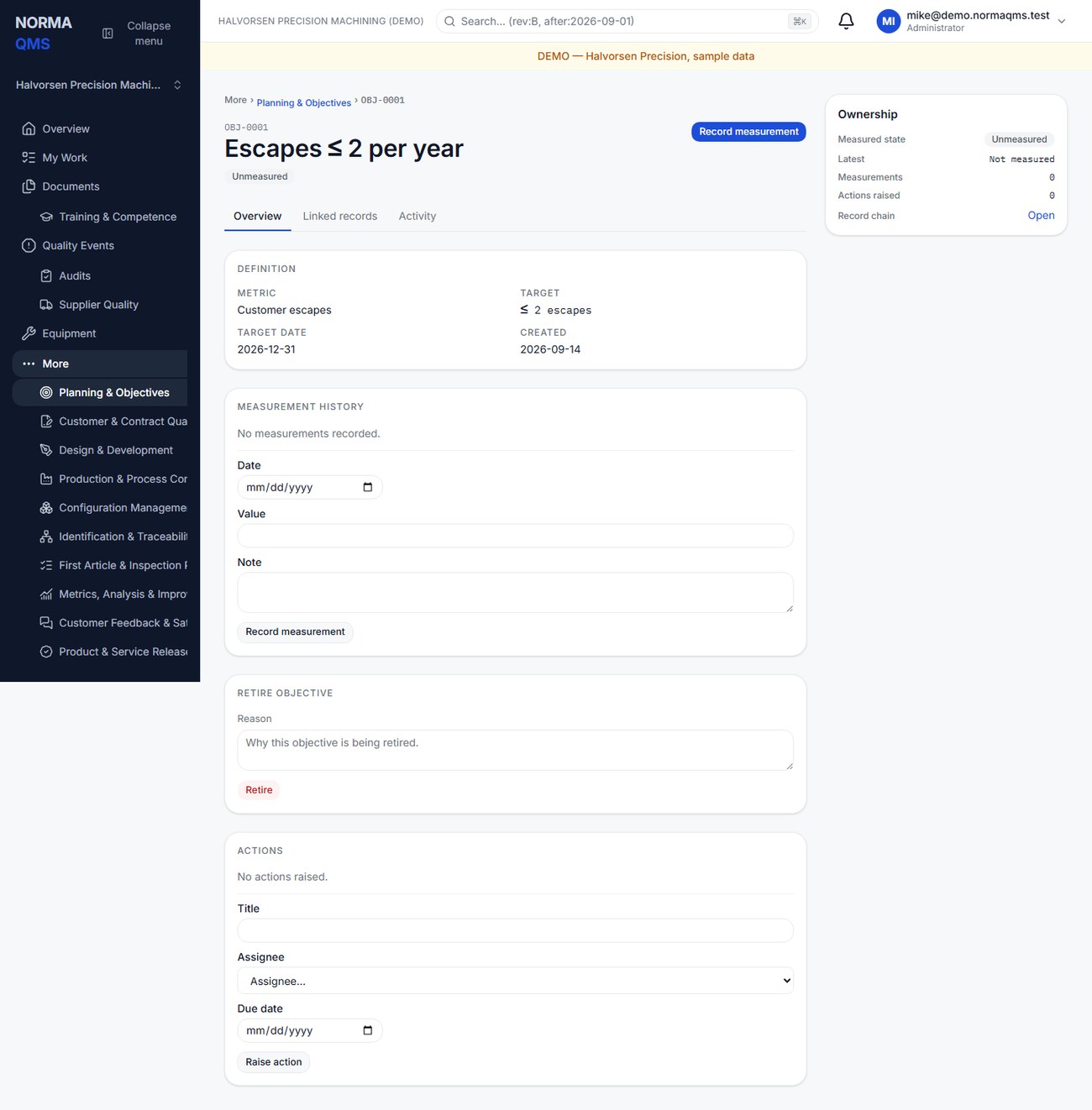
- Open Objectives and choose Raise objective.
- Enter title, metric name, unit, direction, target value, and optional target date.
- Use At least for a minimum desired performance, such as 95% on-time delivery. Use At most for a maximum, such as 2% scrap.
- Open the objective and record dated measurements as the data becomes available.
- Review the derived Meeting, Off track, or Unmeasured result. Investigate the source data if the status is surprising.
- Raise an action for work needed to improve performance. Retire an objective when it is no longer active, retaining its history.
The latest-dated measurement determines status. Backdating a measurement does not make it the latest merely because it was entered last. Write the measurement basis consistently so percentages remain comparable.
Manage risks and opportunities
Open Risks & opportunities and choose Raise, then a type, title, description, and priority. Describe the anticipated situation and the planned response. Use the record to raise an assigned action where follow-up is needed. Close the record with an outcome note explaining what happened and how the response worked.
Example: “Our only approved plating supplier cannot support the forecast.” The outcome might record qualification of a second source and the supporting supplier reference. Today's suspect material or product-safety occurrence belongs in Product Integrity or an NC; the planning risk explains the broader business exposure.
Plan a QMS change
Use Planned changes for a deliberate change to the system. Enter title, purpose, consequences, resource needs, and responsibilities. Raise actions while the plan is active. Complete or abandon the change with a note explaining the result.
A planned change describes the intention and organizational preparation. If the execution needs detailed impact assessment, effectivity, authorization, and verification, also create a Change Control record. Put reciprocal references in the narrative if no direct linking control is offered.
Follow up
Review off-track objectives and active risks at management review. Do not create measurements solely to clear a red indicator. Closed, retired, or abandoned planning records do not generate new linked actions; create a new current planning record when genuinely new work arises.
In the user guide
This article is chapter 13, "Planning and Objectives", of the NormaQMS User Guide (NORMA-UG-001), which is under Help > User guide. Chapter numbers in the text refer to that guide.