Modules · For the quality manager
Device & Product Records
How the work moves
Product record- 1Define product
- 2Index design records
- 3Index manufacturing records
- 4Make current
Product Records Infrastructure and Management Review: device and product records. This is part of chapter 31 of the NormaQMS User Guide.
Device and Product Records
Open: Documents > Device & Product Records. Typical leads: Engineer and Quality Manager. A DF record is a master index of the product definition and manufacturing evidence.
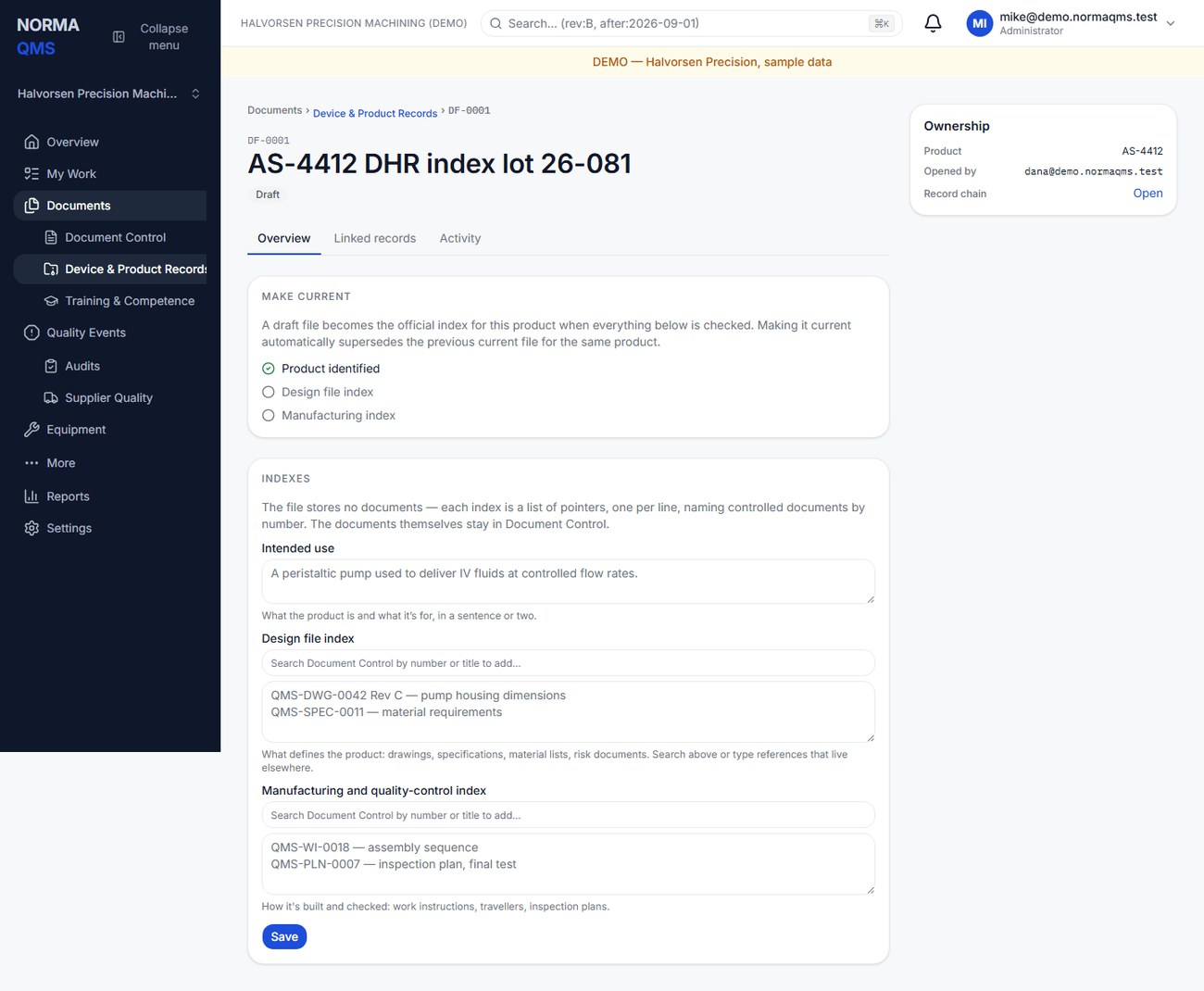
- Choose Open file and enter title and product or device reference.
- Describe intended use in the available field.
- Build the design index with the relevant drawing, specification, risk, and design references.
- Build the manufacturing index with instructions, process definitions, inspection plans, and supporting records.
- Maintain the entries under Indexes and choose Save. Check each against the authoritative record.
- Choose Make current when the product reference and both indexes are populated and the index is ready for use.
One file is Current for the same product reference; making its successor current supersedes the prior current file. Keep the product reference consistent so the app can recognize that identity. The gate checks product reference and both indexes; it does not automatically validate every external file or determine whether the full technical file is adequate.
Do not paste all document contents into the index. Point to the authoritative files. If a drawing changes, review the index and issue the appropriate successor; the index is not automatically authoritative over a newer drawing.
In the user guide
This article is part of chapter 31, "Product Records Infrastructure and Management Review", of the NormaQMS User Guide (NORMA-UG-001), which is under Help > User guide. Chapter numbers in the text refer to that guide. The same chapter also covers: Infrastructure and Work Environment; Management Review.