Records · For the quality manager
Exporting evidence for an auditor
Reports and data exports: run a report; choose the right export; preserve a usable evidence package. This is chapter 34 of the NormaQMS User Guide.
Run a report
Open: Reports. Select Last 30 days, Last 90 days, Last 365 days, or Custom range and choose Apply. For a custom range, choose and apply Custom first, then enter From and To and apply again. Confirm the Showing dates. Missing or invalid custom dates fall back to the default period until corrected.
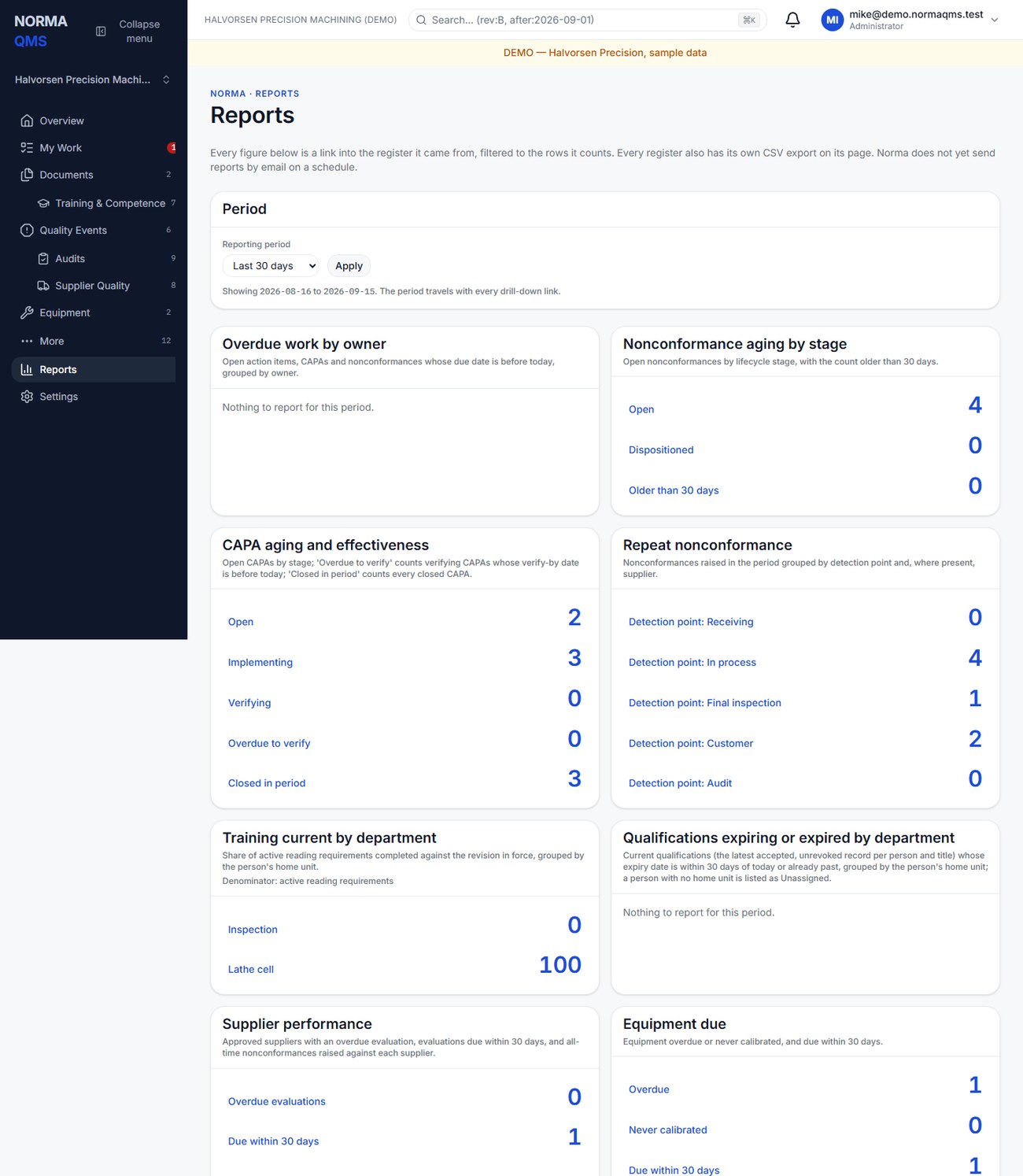
| Report | What to use it for |
|---|---|
| Overdue work by owner | Locate overdue CAPA, NC, and action follow-up |
| Nonconformance aging by stage | Review Open and Dispositioned NCs and older work |
| CAPA aging and effectiveness | Review implementation, verification, overdue checks, and closures |
| Repeat nonconformance | Look for repeated detection points or supplier-related issues |
| Training current by department | See where required reading remains incomplete |
| Supplier performance | Review evaluation timing and related NCs |
| Equipment due | Find overdue, never-calibrated, and upcoming instruments |
| Document review load | Plan due and upcoming periodic reviews |
| Audit finding closure | Review audits and unresolved findings |
| Qualifications expiring or expired by department | Find people whose certificates or qualifications lapse within 30 days or already have |
Read the definition and denominator printed with each report. Some lines describe current state; others use the selected period. Do not assume every number is limited to records created within that range.
Tip: For a management review, run Last 90 days and download the management review pack the same day. The pack's CSVs are the evidence that the numbers in the minutes came from the registers as they stood, which is the question a registrar asks about a review.
Select a figure to drill into its register. Inspect the resulting filters. Where the target register cannot express the precise population, the drill-down can include additional rows; use the report definition to reconcile the count. The reports page is not an automatic scheduled-email reporting service. The work digest is a separate system.
Choose the right export
| Output | Contains | Does not automatically include |
|---|---|---|
| Filtered register CSV | Displayed collection-table rows in the displayed order | Every row in the organization |
| Register CSV | The permitted register data for that export | All attachments and full chains |
| Organization ZIP | Entitled register CSVs, every entitled file under files/, every record chain under chains/, manifest.json with checksums, README.html |
Locked-module data (declared in the manifest's omissions); archives above 400 MB, which are refused in favor of per-register packs |
| Management review ZIP | Available management-review, metric, NC, CAPA, audit, and complaint CSVs plus report definitions | Approved meeting minutes generated from your meeting |
| Termination ZIP | termination.html with entitled register tables and chain-head hashes, plus every entitled file and chain and a verifiable manifest |
A restore-ready database backup; a deletion certificate |
| Record-chain JSON | The selected record's chain evidence | Every record in the organization |
Export controls can be visible differently from write controls, but each route still checks access. Standard organization packs omit unentitled modules and name omissions in the README. Do not assume that cancelling a paid module leaves all its register exports available.
Preserve a usable evidence package
Download the needed register pack, read its README, and obtain the specific documents, calibration certificates, supplier files, and chain exports needed for the review. Save the package in your approved retention location with organization and date. Open a sample CSV, HTML file, and attachment before treating the package as complete.
When leaving the system, plan export while the necessary modules remain entitled. The termination pack is intended to remain readable without the app, but it is not a replacement for retaining the original evidence files your shop needs.
In the user guide
This article is chapter 34, "Reports and data exports", of the NormaQMS User Guide (NORMA-UG-001), which is under Help > User guide. Chapter numbers in the text refer to that guide.