Account · For the quality manager
The Standard Map
Standards scope and the Standard Map: read the standard map. This is part of chapter 8 of the NormaQMS User Guide.
Read the Standard Map
Open: Settings > Standard map, or the standard-edition link in the sidebar.
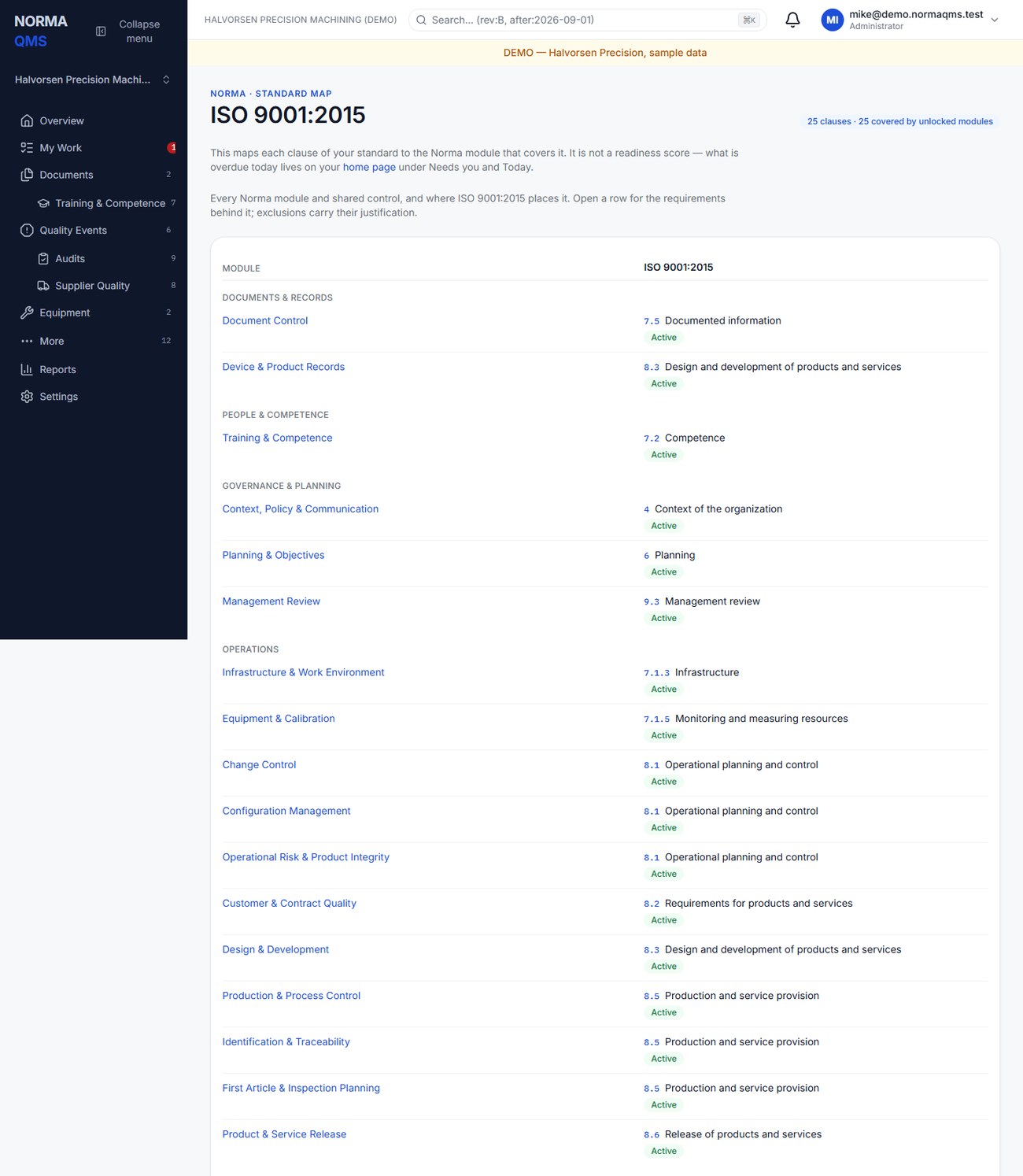
Rows show modules and shared controls. Columns show adopted standard editions. A cell identifies the corresponding clause and whether the module is active, locked, or otherwise represented. Expand a module row to see its requirements, readiness signals, and shared-control relationships.
Use the edition controls to compare standards. At least one edition remains visible. Scope and as-of-date filters, when used in the page address, narrow the map without changing the organization's subscriptions or baselines. Bookmark the filtered map if you use it for a particular review.
Not applicable (your decision) identifies a scope decision. A Plan gap identifies an adopted edition whose overlay is not included on the plan. Readiness signals summarize available records; they are not certification scores. Different scopes can have different applicability decisions, and the map names the scope when that distinction matters.
Shared controls show how one operating control supports requirements in more than one standard. Use this view to avoid creating three duplicate procedures merely because three standards describe the same activity differently.
In the user guide
This article is part of chapter 8, "Standards scope and the Standard Map", of the NormaQMS User Guide (NORMA-UG-001), which is under Help > User guide. Chapter numbers in the text refer to that guide. The same chapter also covers: Create or revise a QMS scope; Applicability is a controlled decision.