Modules · For the owner
QMS scope
How the work moves
QMS boundary- 1Describe the business
- 2Choose applicable standards
- 3Justify exclusions
- 4Approve the baseline
Standards scope and the Standard Map: create or revise a qms scope; applicability is a controlled decision. This is part of chapter 8 of the NormaQMS User Guide.
Create or revise a QMS scope
Open: Settings > Standards & scope. A scope defines the boundary of the QMS, the adopted standard editions, and your applicability decisions. Most small shops need one scope, but the app supports multiple scopes.
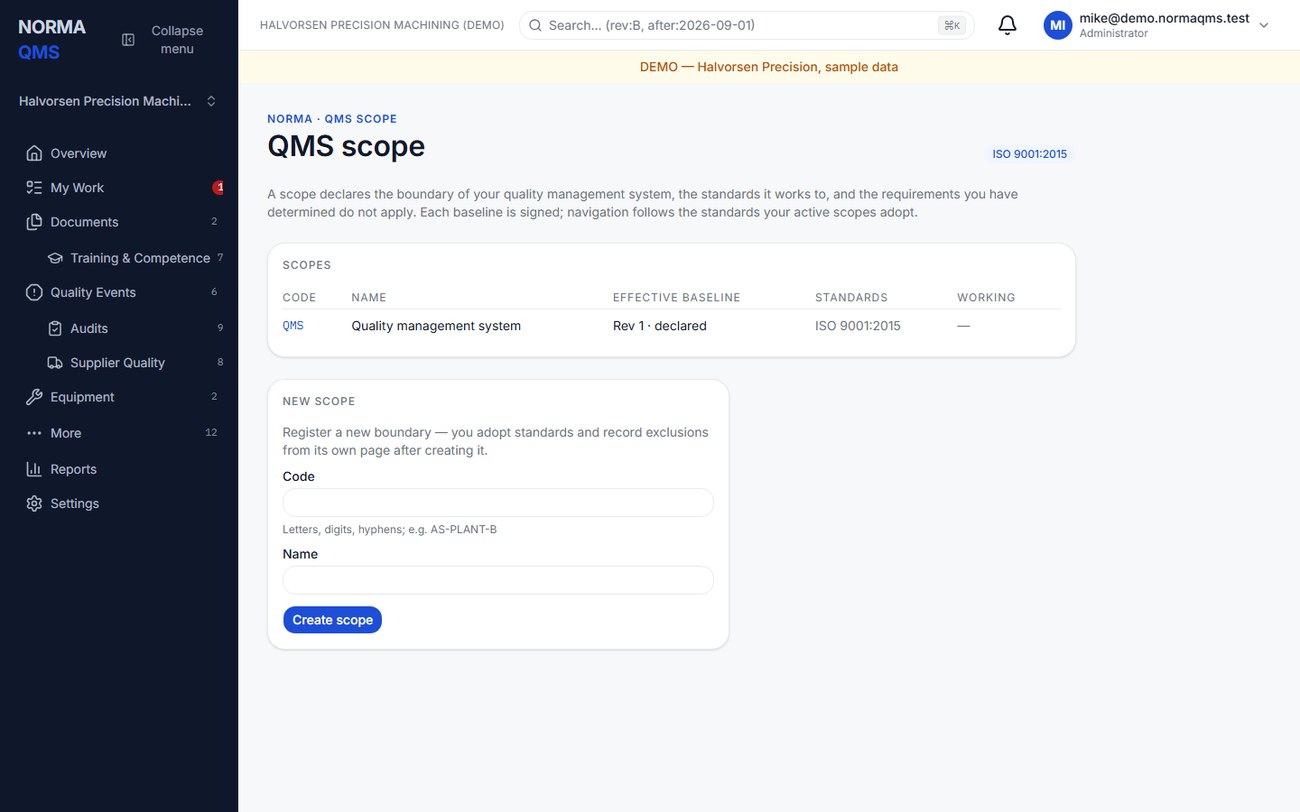
- Open the existing scope or use Create scope with a code and name.
- Review the effective baseline. A setup-generated baseline can be declared, meaning it supplies an initial working standard but has not been signed.
- Choose Draft a new baseline. Review the copied statement, standards, boundaries, and decisions. The copy comes from the latest recorded revision, which can be a rejected revision rather than the effective one.
- Write the scope statement and change rationale. Set effective-from and optional effective-to dates. Revision 2 onward requires a change rationale.
- Add or remove boundary exclusions with their types, descriptions, and rationales. Adopt the required standard editions.
- Add organizational units to the boundary as included or excluded. Explain excluded units.
- Record requirement-level applicability decisions, or use the clause exclusion control where offered. Select the correct adopted edition and provide the rationale.
- Save each section, inspect the resulting baseline, then choose Submit for approval.
- The authorized approver reviews the sealed content, re-enters their password, and approves or rejects with the required meaning and note.
Submission makes the draft read-only and fixes the approval manifest. If it needs editing, use Withdraw where offered and correct the draft before resubmitting. Approval preserves the older baseline as history; dates determine which approved baseline applies. Rejection is retained. Do not assume that a future-dated approval changes today's effective scope.
Applicability is a controlled decision
Use the scope's rationale to explain why a boundary or requirement is excluded or not applicable. Buying a module does not make a requirement applicable, and not buying one does not justify exclusion. The app's standard choices and manual builder do not determine which exclusions your business is entitled to claim.
Retire a scope only when its boundary is no longer in use and the offered controls permit the action. Review downstream organizational changes first. Historical baselines remain available as the record of what applied at the time.
In the user guide
This article is part of chapter 8, "Standards scope and the Standard Map", of the NormaQMS User Guide (NORMA-UG-001), which is under Help > User guide. Chapter numbers in the text refer to that guide. The same chapter also covers: Read the Standard Map.