Modules · For the quality manager
Training & Competence
How the work moves
Competence- 1Set requirement
- 2Assign learning
- 3Verify competence
- 4Keep evidence current
Open: Training. Typical leads: Quality Manager and Department Manager; technicians may record permitted completions. Purpose: show who has read the required effective documents and retain revision-specific evidence.
Maintain the people list
Use People to add the humans whose competence you track. Enter name and optional job title and email. Coordinate this with the Organization chart so that the same employee is not represented twice. A machinist without a login can still have reading requirements and completion history.
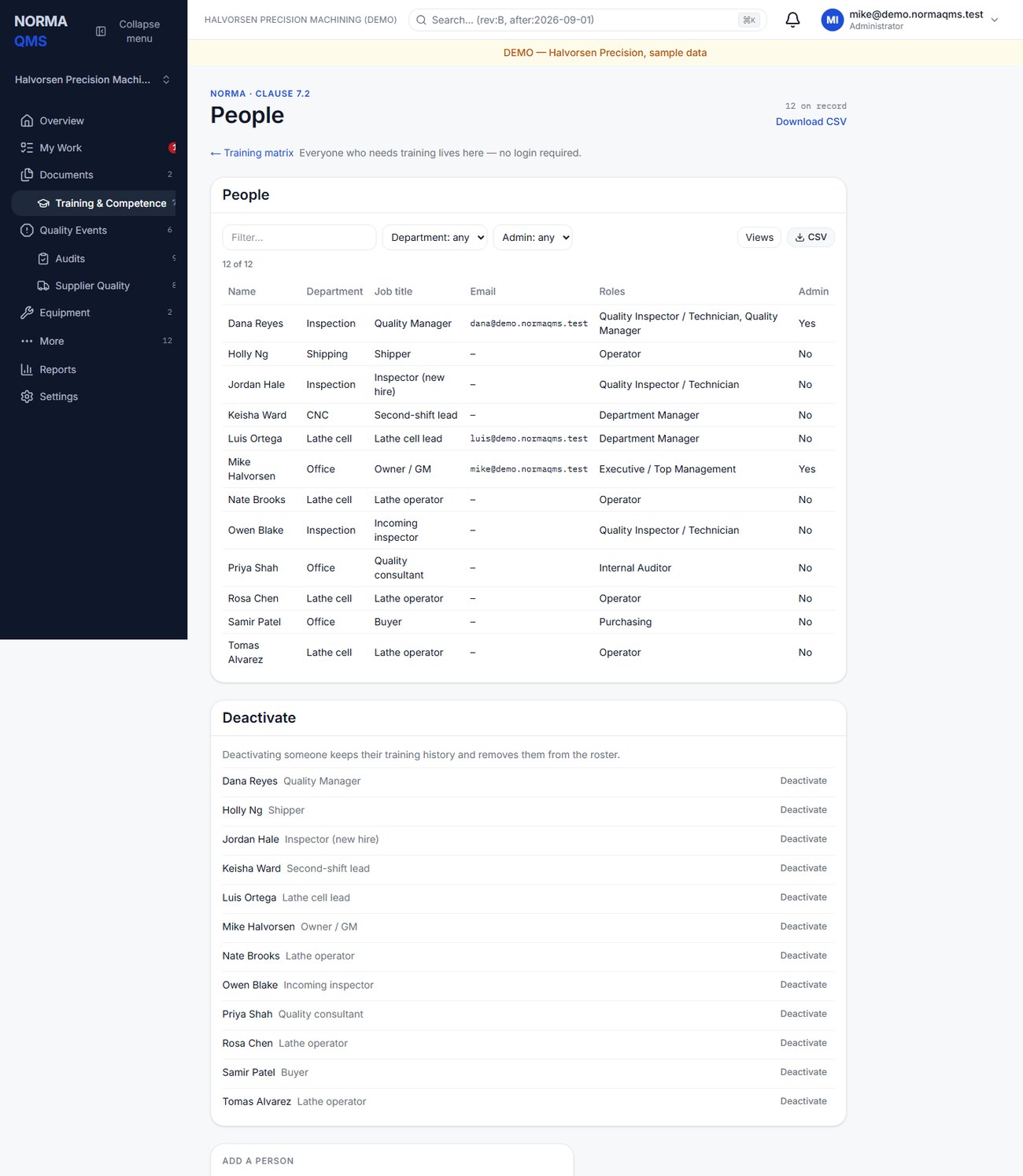
Deactivate a departed person through the offered control. Their earlier completions remain evidence. Separately remove or revise sign-in access, active assignments, and department memberships where needed.
Assign required reading
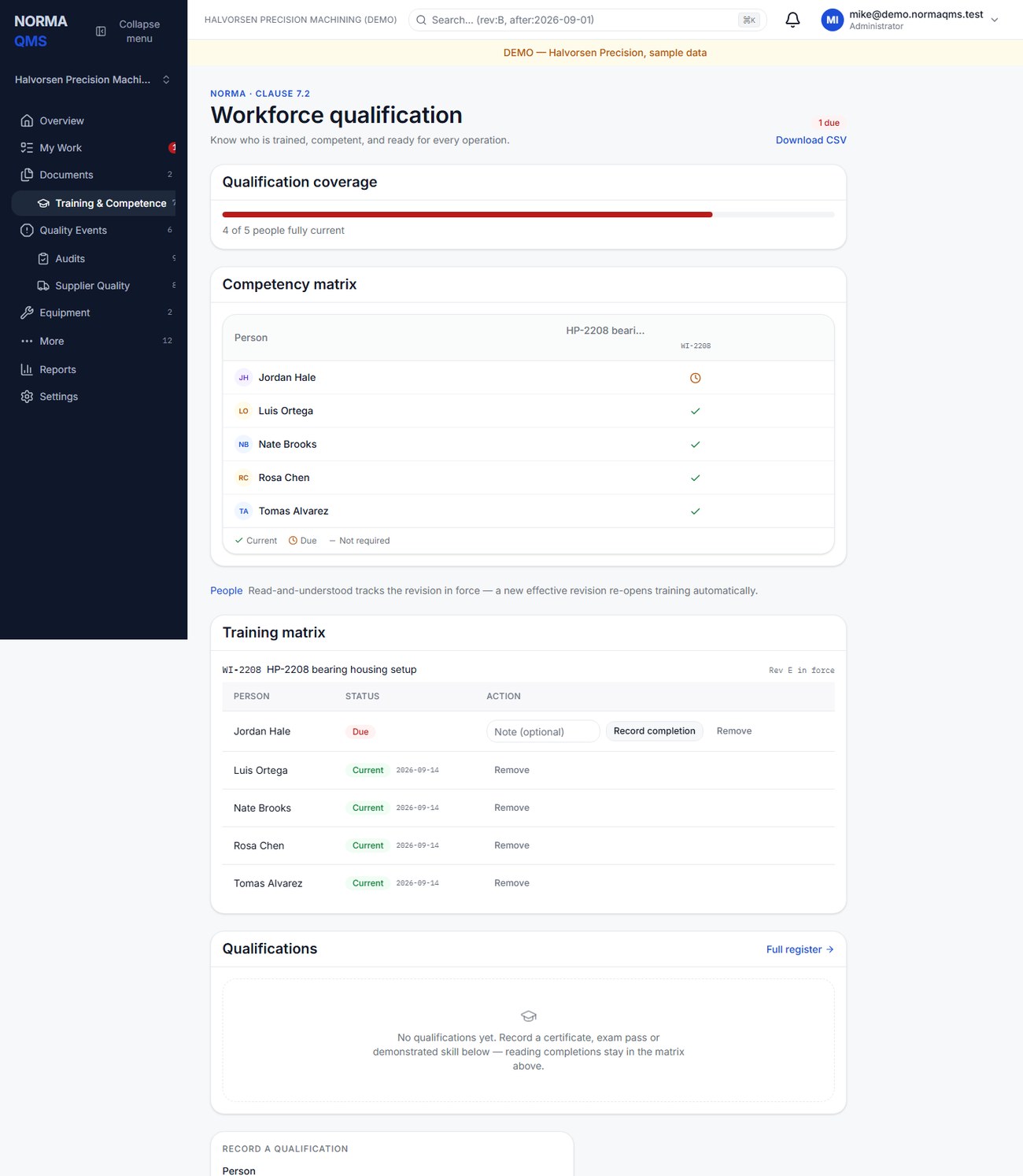
- Ensure the instruction has an Effective revision in Document Control.
- Select Require reading, choose the document and person, and submit.
- Confirm the person appears under that document in the training matrix.
- Repeat for the other people who actually need that instruction. Assign by responsibility, not simply to every employee.
The requirement follows the document across revisions. It is not a one-time assignment tied only to Rev A. Remove a requirement when the person's duties no longer require it, using the offered Remove action. The removal is retained in history.
Record completion
The matrix identifies the document number, title, revision in force, and required people. Current means an eligible completion covers the current training requirement; Due means it does not.
For your own assigned reading, open the effective file and choose I've read Rev …. For supervised or recorded completion, an authorized user selects Record completion beside the person and adds an optional note. A person can also acknowledge a due reading from the shop-floor tablet under their own name (chapter 21). Confirm the person's status and the exact revision recorded.
Completion captures the revision and its file hash. It cannot be recorded against an arbitrary draft or a superseded revision as though that were the version in force. A person without an active requirement cannot be made current through an unrelated completion.
When an instruction changes
If the person making the new revision effective chooses retraining, assigned people return to Due for that revision. If they choose no retraining with a rationale, eligible current reading carries forward. Earlier completions remain attached to their original revisions.
Example: adding a new inspection method normally changes what the technician must know. A corrected spelling may not. The person making the controlled decision records the rationale; the software does not decide technical training impact.
Use the matrix correctly
Review Due rows during daily or weekly follow-up. Use department reporting to find groups needing attention. A reading completion shows read-and-understood evidence; it does not by itself document a practical qualification test, welding certification, or task-specific competency assessment. Those are qualifications, recorded and accepted separately below.
Record and accept a qualification
Reading completions and qualifications are separate records. Use Record a qualification on the Training page for a certificate, exam pass, demonstrated skill, classroom course, or on-the-job sign-off.
- Choose the Person and name the Qualification.
- Choose How was it shown?: Classroom, On the job, Demonstration, Exam, or External certificate.
- Enter the Provider or trainer, Completed on, an optional Expires date, and the Certificate or credential number.
- Attach the Evidence file (PDF, PNG or JPG). Optionally point it at a document under Also satisfies reading of….
- Choose Record qualification. The record sits at Pending acceptance.
- An authorized quality lead reviews the evidence and chooses Accept, entering how you verified it, or Reject with a reason. Only then does it count; the form says so: Recording does not grant anything. A quality manager accepts the record, and only then does it count.
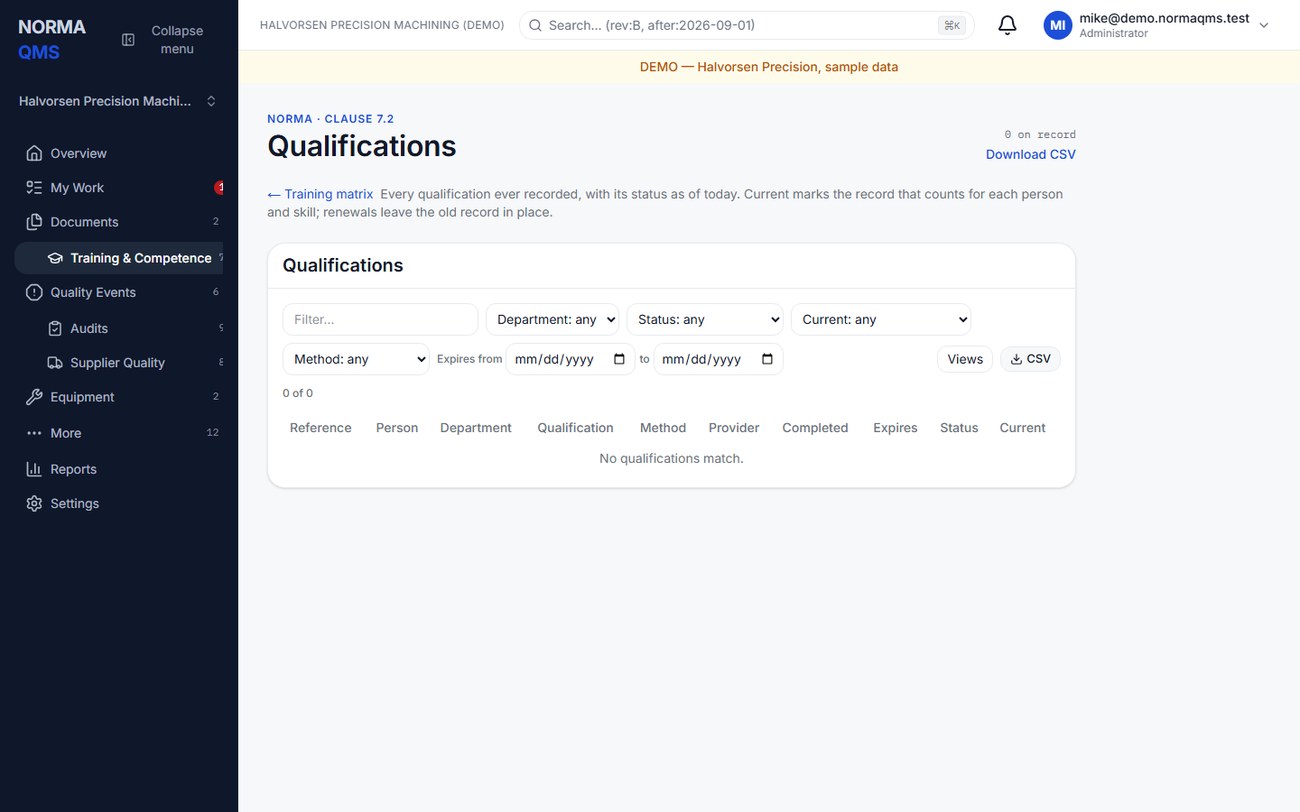
Statuses are Pending acceptance, Active, Expiring (within 30 days of the expiry date), Expired, Revoked, and Rejected. An accepted qualification can later be withdrawn with Revoke and a reason. Renewals leave the earlier record in place, marked Superseded; Current marks the record that counts for that person and skill. The full history is under Full register (Training > Qualifications), and Reports > Qualifications expiring or expired by department lists what is about to lapse.
Accepted certificates are also the evidence Traveler reads: a router operation that requires a qualification lets a person start it only when a certificate tagged to that qualification is Active or Expiring today (chapter 20).
Tip: Record the certificate the day it arrives and accept it the same week, before the operation that needs it is scheduled. A welder refused at the tablet on Monday morning because Friday's certificate is still Pending acceptance is a self-inflicted stoppage.
Tip: Assign reading by responsibility, not by headcount. Twelve people Due on a document only three of them use is noise that hides the three who matter, and it teaches the floor that Due means nothing.
In the user guide
This article is chapter 11, "Training and Competence", of the NormaQMS User Guide (NORMA-UG-001), which is under Help > User guide. Chapter numbers in the text refer to that guide.