Modules · For the quality manager
Complaints and reportability
How the work moves
Complaint file- 1Receive
- 2Evaluate and investigate
- 3Decide reportability
- 4Close with evidence
Customer Feedback and Complaints: complaints and reportability. This is part of chapter 28 of the NormaQMS User Guide.
Complaints and Reportability
Open: Quality Events > Complaints & Reportability. Purpose: retain the complaint file, investigation, and the organization's reportability decision.
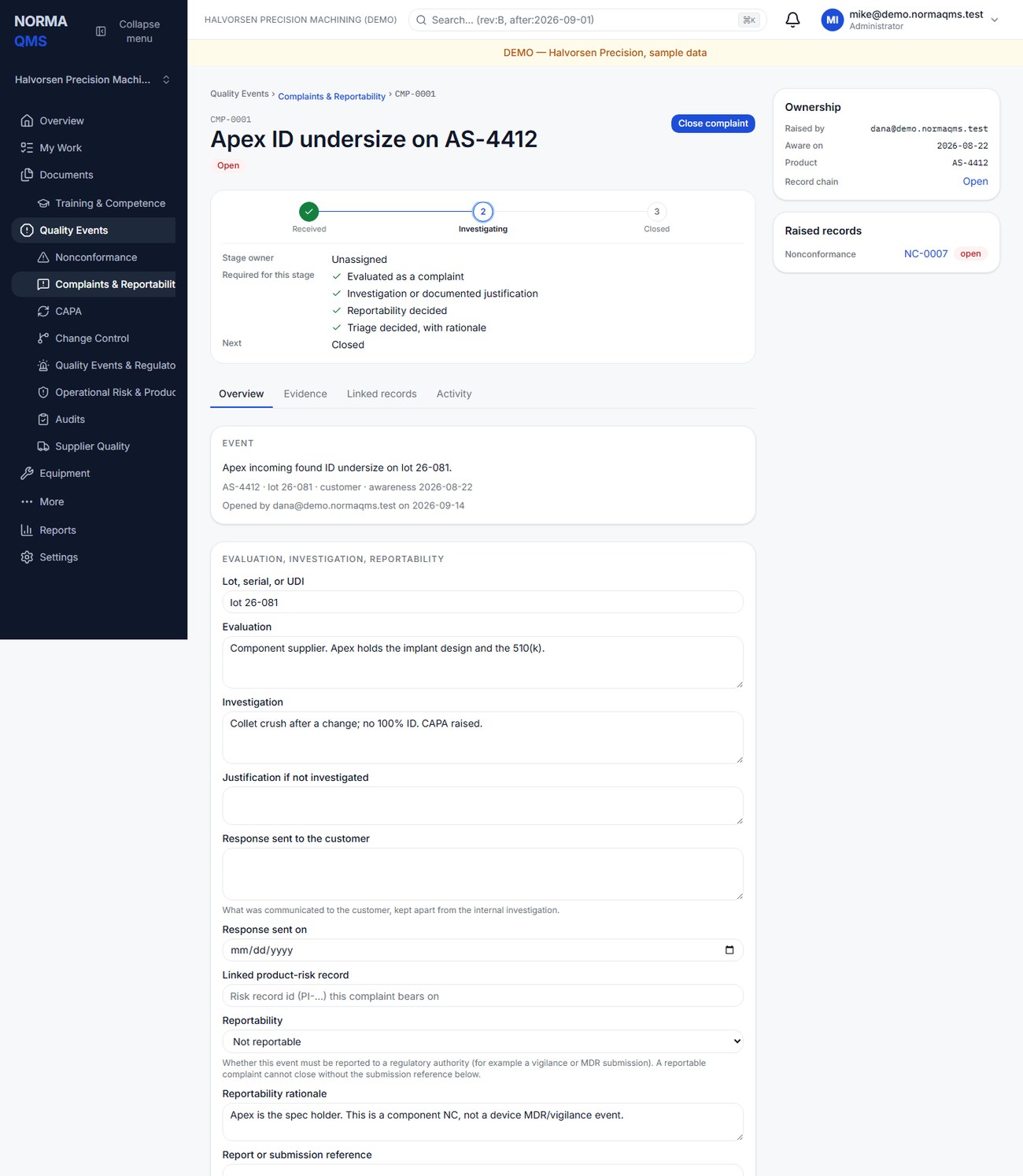
- Log title, product or device, optional lot, serial, or UDI, source, awareness date, and description.
- Use the actual awareness date: when the organization became aware, not the date you finally entered the record.
- On the open CMP record, use Record triage under Triage; from the same card, Raise nonconformance or Raise CAPA where the complaint needs them, which links them to the complaint.
- Under Evaluation, investigation, reportability, write the evaluation, then the investigation or a documented reason not to investigate. Use the appropriate alternative; do not leave both the work and justification absent.
- Record reportability as Not decided, Not reportable, or Reportable.
- If Reportable, record the report or submission reference. Retain the actual submission evidence through your approved process. Choose Save.
- Review the closure checklist and choose Close complaint.
The gate requires evaluation, investigation or its documented alternative, a decided reportability outcome, and a submission reference when reportable. Saving an open draft does not complete this gate.
Caution: The awareness date is the date the organization first knew, which may be an email to sales a week before quality heard of it. Enter that earlier date. Your own reporting procedure counts its clock from it, and Norma records what you entered.
NormaQMS records the decision and references. It does not calculate jurisdiction-specific reporting deadlines or submit reports to a regulator. Use the applicable procedure for those decisions and actions. If an event also requires field coordination, create a Quality Events & Regulatory Actions record. Its typed complaint reference is a cross-reference, not an automatic report submission or a synchronized complaint status; the NC and CAPA raised from the Triage card, by contrast, are real links.
Completion check: the complaint chronology is clear, investigation handling is documented, reportability is decided, required external action has its reference, and any NC, CAPA, or field action is followed separately.
In the user guide
This article is part of chapter 28, "Customer Feedback and Complaints", of the NormaQMS User Guide (NORMA-UG-001), which is under Help > User guide. Chapter numbers in the text refer to that guide. The same chapter also covers: Customer Feedback and Satisfaction.