Modules · For the quality manager
Quality events and regulatory actions
How the work moves
Major quality event- 1Open command record
- 2Control immediate risk
- 3Coordinate actions
- 4Close with evidence
Product Release and Quality Events: quality events and regulatory actions. This is part of chapter 30 of the NormaQMS User Guide.
Quality Events and Regulatory Actions
Open: Quality Events > Quality Events & Regulatory Actions. The QE record coordinates a significant event across records and people.
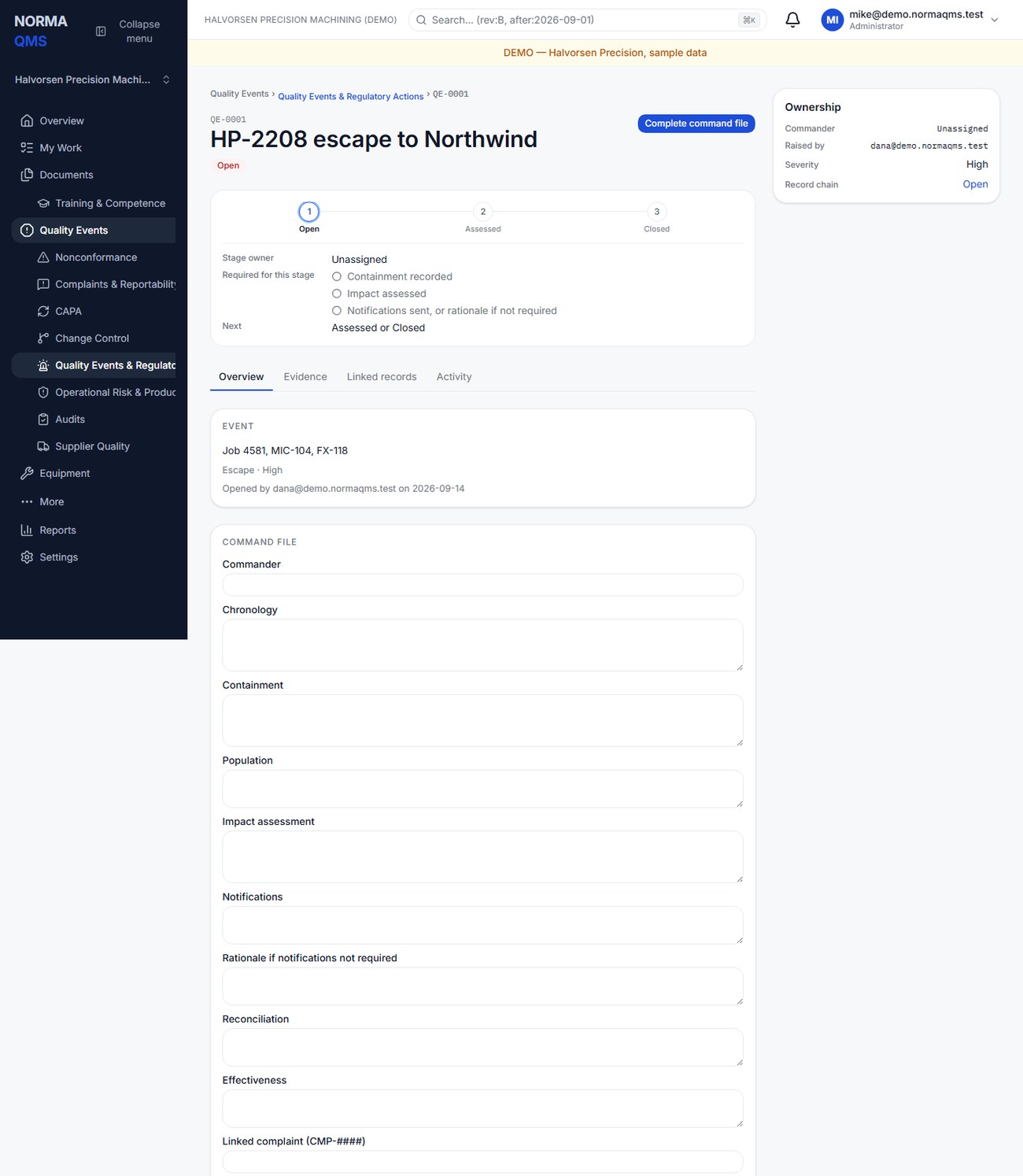
- Choose Raise event and enter title, kind, severity, and scope. Kinds are Escape, Stop-ship, Field action, Recall, Advisory notice, and Regulatory observation. Severity is Low, Moderate, High, or Critical.
- In the Command file, record the commander and chronology as information becomes available, choosing Save as you go.
- Enter containment, affected population, and impact assessment.
- Enter notifications actually made, or a written rationale that notifications were not required. Exactly one of these alternatives must be populated for closure.
- For a Field action or Recall, record reconciliation of the affected population.
- Record effectiveness information and typed complaint, NC, or CAPA references where appropriate.
- Review the gate and choose Close event.
Containment and impact assessment are mandatory for closure. Field actions and recalls also require reconciliation. The app does not reconcile product quantities automatically, send notices to all recipients, compute external reporting clocks, or stop an external shipping system.
Typed CMP, NC, or CAPA references identify related work but do not create every possible database relationship. Open those records separately to verify their statuses. A closed event can still reference an ongoing CAPA; make outstanding obligations explicit.
In the user guide
This article is part of chapter 30, "Product Release and Quality Events", of the NormaQMS User Guide (NORMA-UG-001), which is under Help > User guide. Chapter numbers in the text refer to that guide. The same chapter also covers: Product and Service Release.