Modules · For the quality manager
Customer feedback and satisfaction
How the work moves
Feedback- 1Record what was said
- 2Classify
- 3Respond
- 4Trend and escalate
Customer Feedback and Complaints: customer feedback and satisfaction. This is part of chapter 28 of the NormaQMS User Guide.
Customer Feedback and Satisfaction
Open: More > Customer Feedback & Satisfaction. Intake records what was received; authorized quality staff evaluate and close it.
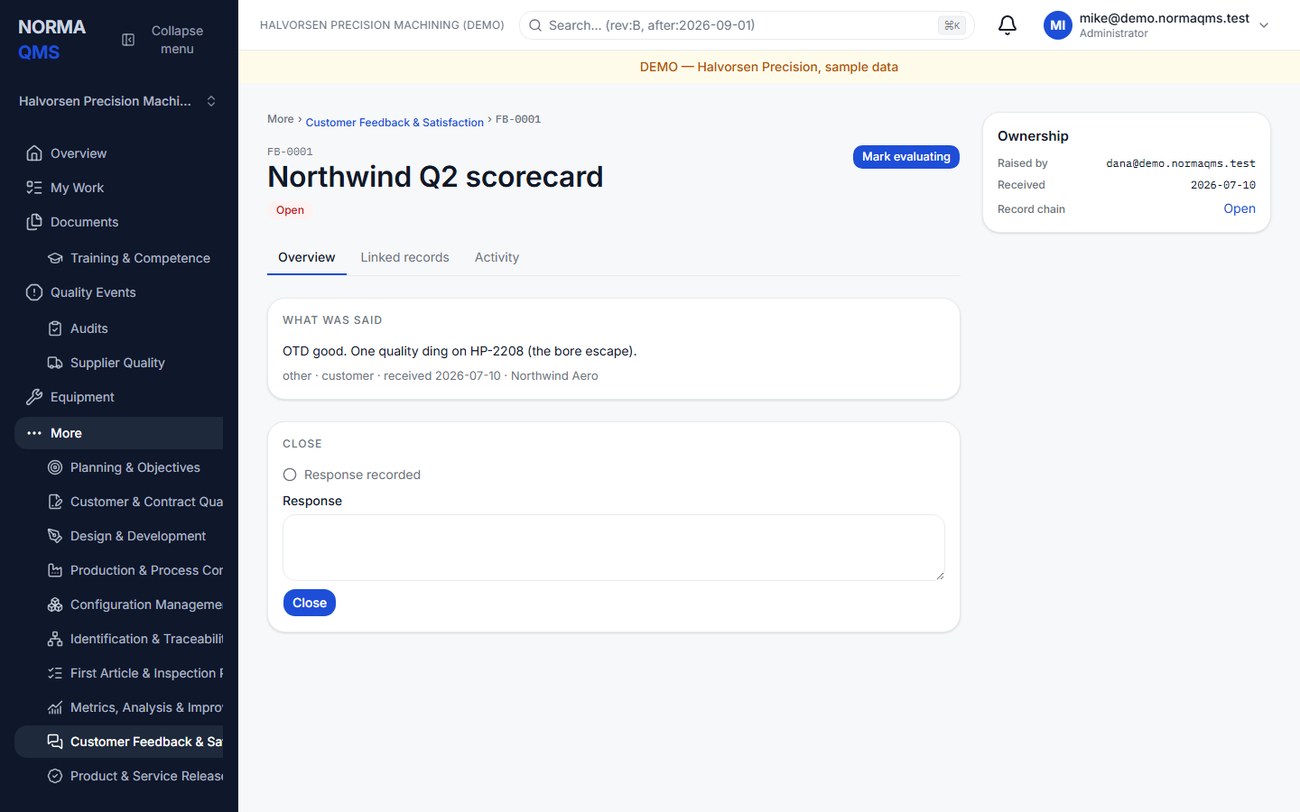
- Log title, type, source, received-on date, and the customer's actual feedback. Add a customer reference where available.
- Types are Complaint, Compliment, Suggestion, Claim, and Other. Sources include Customer, Survey, Return, Visit, and Other.
- Save the FB record. Use Mark evaluating if helpful while working the response.
- Record the response you actually made and close the record through the authorized control.
Closure requires a human-authored response. A neutral acknowledgment may be insufficient for your process; record the resolution or follow-up as appropriate. Logging a customer complaint here does not automatically create a complaint investigation: when one is needed, use Open a complaint under the record's Complaint file card, which links the two.
In the user guide
This article is part of chapter 28, "Customer Feedback and Complaints", of the NormaQMS User Guide (NORMA-UG-001), which is under Help > User guide. Chapter numbers in the text refer to that guide. The same chapter also covers: Complaints and Reportability.