Modules · For the owner
Customer and contract quality
How the work moves
Order review- 1Capture requirements
- 2Review capability
- 3Resolve gaps
- 4Accept and flow down
Open: More > Customer & Contract Quality. Typical preparers: Quality Manager, Engineer, or Purchasing. Decision: Quality Manager or administrator.
Maintain customers
Create a customer with a name, optional reference, and notes. The register supplies a CUST reference. It is a lean quality customer list; use your existing commercial system for quoting, revenue, and order administration.
Review an order or contract
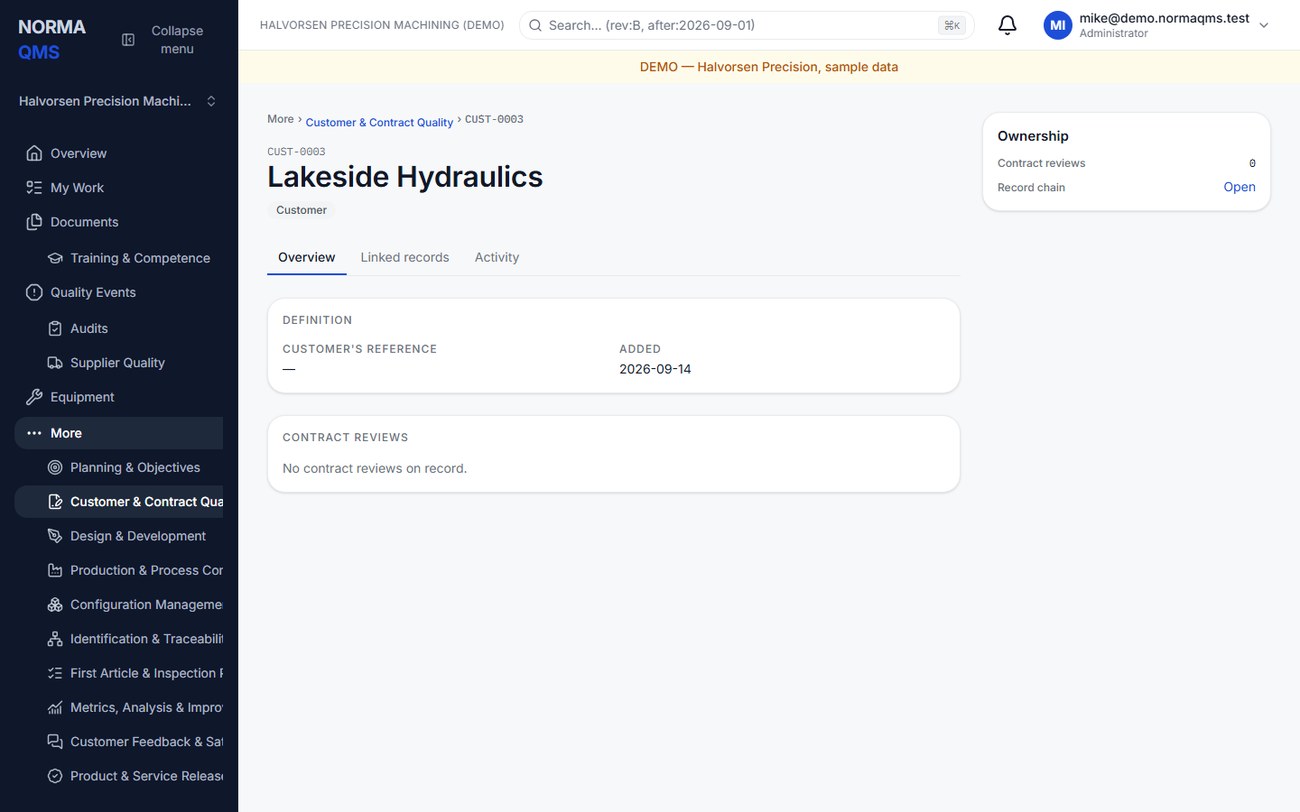
- Open the customer and create a contract review with the order reference and product or service description.
- Address all four requirement categories shown below. Use text or the explicit Not applicable control, as justified by the actual order.
- Confirm capability to meet the requirements using the form's capability control.
- Save the complete draft form. Review the checklist before asking for a decision.
- The authorized decision-maker accepts or declines the review through the available control.
- Confirm the decision and its attribution on the CR record before communicating acceptance through your order process.
| Requirement category | What to address |
|---|---|
| Customer specified | Product, drawing revision, delivery, post-delivery, documentation, packaging, and other specified expectations |
| Necessary but unstated | Requirements needed for the specified or intended use that were not stated directly |
| Statutory and regulatory | Applicable obligations identified by your organization |
| Organization specified | Internal requirements your shop determines necessary |
Blank is not the same as Not applicable. The decision gate requires all four categories addressed and capability confirmed. A filled form does not prove that the technical review was adequate; include the references and unresolved issues a reviewer needs.
Amend a decided review
Use the amendment form on the same review for later changes. Describe the changed requirement, its assessment, and the decision. Where the form offers a decline-now decision, it changes the review's disposition as part of the recorded amendment. Earlier decisions remain on the chain.
Example: the customer changes the drawing from Rev B to Rev C after order acceptance. Record the revised requirement and capability assessment, then use Change Control and configuration or inspection-plan updates where needed. Typing the new revision into an unrelated note does not update every linked operating record.
In the user guide
This article is chapter 16, "Customer and Contract Quality", of the NormaQMS User Guide (NORMA-UG-001), which is under Help > User guide. Chapter numbers in the text refer to that guide.