Modules · For everyone on the floor
Product and service release
How the work moves
Release- 1Confirm evidence
- 2Resolve holds
- 3Authorize release
- 4Keep shipment decision
Product Release and Quality Events: product and service release. This is part of chapter 30 of the NormaQMS User Guide.
Product and Service Release
Open: More > Product & Service Release. Authorization: Quality Manager or administrator. The REL record states the decision to release a product or service to the customer.
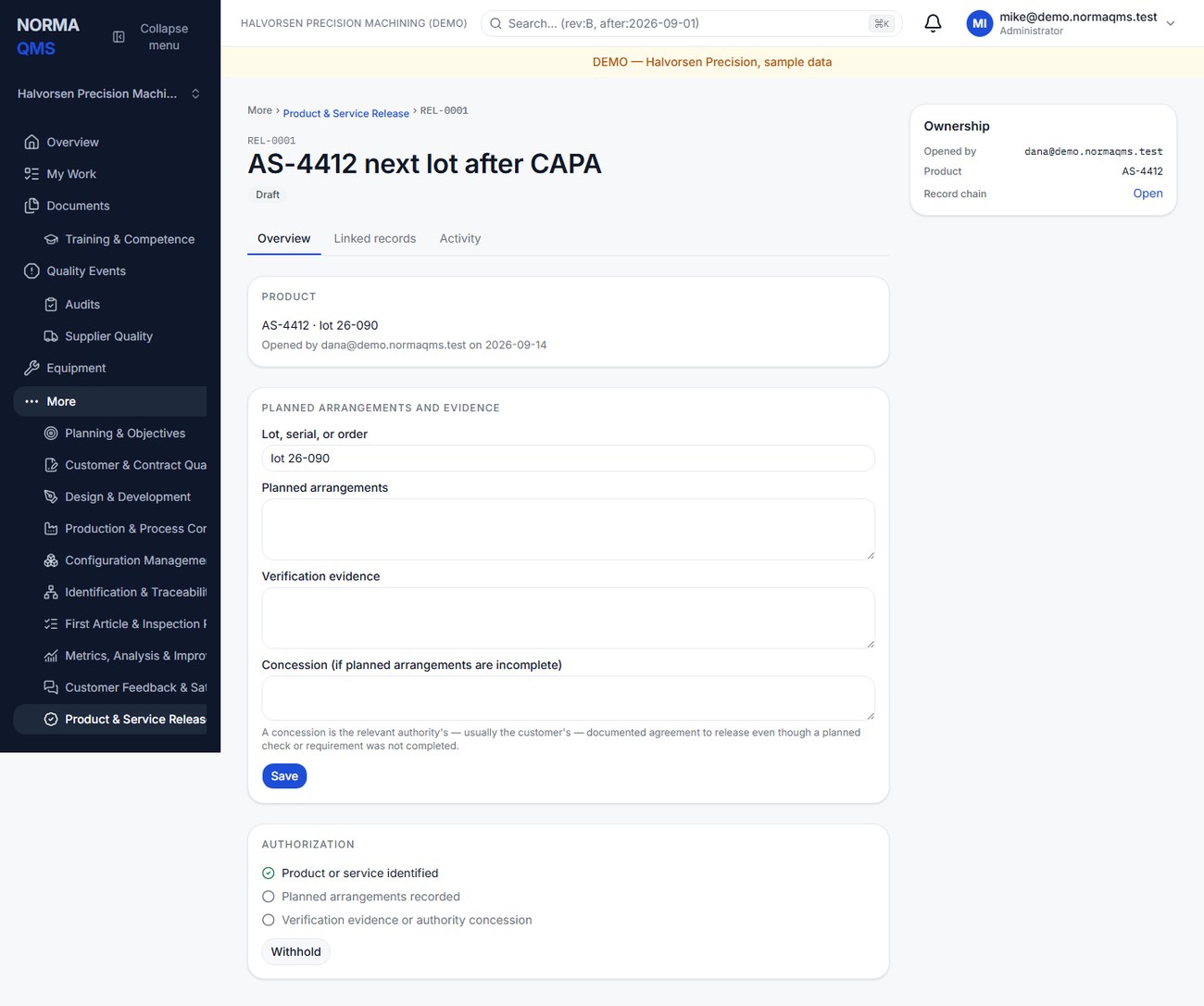
- Choose Open release and enter the title, product or service identity, and available lot, serial, or order reference.
- Under Planned arrangements and evidence, record the verification and acceptance activities that govern release.
- Enter verification evidence. Where a concession is used, identify the relevant authority and concession basis in the concession field. Choose Save.
- Review the gate. It requires product identity, planned arrangements, and evidence or a concession. Concession does not eliminate the planned-arrangements field.
- Under Authorization, choose Authorize release when the evidence supports release, or Withhold when it should not proceed.
- Confirm the decision and attribution. Withheld can return to Draft for further work; Authorized is terminal in this workflow.
Releasing a Production record does not automatically authorize REL, and authorizing REL does not execute a shipment in an ERP. Ensure the physical shipment process uses the correct decision. If an error is discovered after authorization, use the appropriate NC and event process rather than expecting an edit to reverse the historical authorization.
In the user guide
This article is part of chapter 30, "Product Release and Quality Events", of the NormaQMS User Guide (NORMA-UG-001), which is under Help > User guide. Chapter numbers in the text refer to that guide. The same chapter also covers: Quality Events and Regulatory Actions.